Chrome extension · Self-custody
See a token.
Buy it in one tap.
This is the unbranded template preview. No project is published to this address yet, so the name, copy and artwork you see are placeholders.

How it works
From feed to filled in seconds
Browse like normal
Scroll X, DexScreener, or GMGN. Wallet Template spots contract addresses on the page. No copy-paste, no tab switching.
Open the terminal
One click opens a GMGN-style trade terminal in the side panel with price, liquidity, and safety checks already loaded.
Buy from any chain
Pick a preset and fire. Wallet Template routes the buy from whatever you hold, hopping chains automatically when it needs to.
See it work
Watch it in action
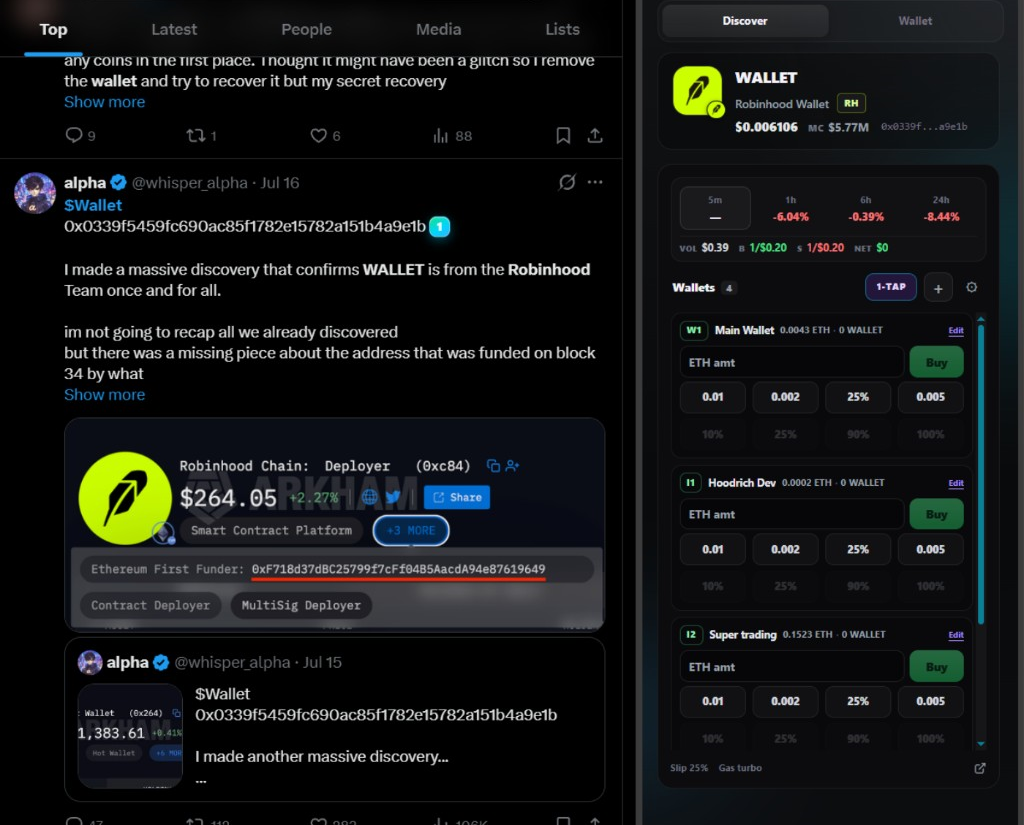
A contract address dropped in an X feed. A live chart on GMGN. Same wallet, same one-tap buys, wherever you already trade.
Detection on X
Someone posts a contract address in a tweet. Normally that means: copy the address, open a DEX or scanner in a new tab, paste, check the chain, find funds, swap.
- Wallet Template scans the visible feed and badges the address inline.
- One click opens the side panel with the token, price, and safety checks loaded.
- A preset buy fires from whichever of your wallets is best funded.
- You never leave the timeline.
Trading on GMGN
On scanner sites like GMGN and DexScreener, Wallet Template reads the token straight from the page URL and turns the side panel into a trade terminal next to the chart.
- All your wallets stacked with live native and token balances.
- Per-wallet buy presets and percentage sells. One tap to fire.
- Slippage and gas presets applied to every order.
- Cross-chain funding kicks in automatically when balances are elsewhere.
What it does
Built for how you actually trade
On-page detection
Finds contract addresses in tweets, scanner rows, and token pages as you browse, then badges them inline.
Side-panel terminal
Charts, token intel, and one-click buys in a terminal that lives next to the page instead of another tab.
Cross-chain routing
Funds on Base but the token is on Solana? Wallet Template routes across chains through Uniswap, Jupiter, and 0x.
One seed, every chain
A single vault derives Robinhood Chain, EVM, and Solana accounts. Multi-wallet presets let you split buys across addresses.
Self-custody, always
Keys are encrypted with your password and never leave your device. No accounts, no custodians, no sign-ups.
Token safety intel
Honeypot flags, liquidity, holder concentration, and contract checks surface before you commit a trade.
Install
Get Wallet Template for Chrome
The Chrome Web Store listing is in review. Until it goes live, install the early build. It takes about a minute and it is the same code, same self-custody vault.
- Unzip the downloaded file.
- Open
chrome://extensionsand turn on Developer mode (top right). - Click Load unpacked and select the unzipped folder.
- Pin Wallet Template to your toolbar and create your vault.
FAQ
Questions, answered
What is Wallet Template?
A Chrome extension that detects tokens on the sites you already use, opens a trading terminal in the side panel, and signs transactions with keys that never leave your device.
How is this different from MetaMask or Phantom?
Those wallets focus on connecting to dapps. Wallet Template focuses on the trenches: detection on social feeds and scanners, multi-chain accounts from one seed, and routed trading in one UI.
Which chains are supported?
Robinhood Chain first-class, plus the major EVM chains (Ethereum, Base, Arbitrum, Optimism, BNB Chain) and Solana. All derived from a single recovery phrase.
Does Wallet Template work on X (Twitter)?
Yes. It scans visible tweet text for contract addresses and shows inline Wallet Template buttons next to anything it can trade.
Where can I get Wallet Template?
Wallet Template is live on Robinhood Chain. Official CA: published on the official socials.
Are there fees?
You pay only network gas and the venue spread from Uniswap, Jupiter, or 0x. Terminals like GMGN take a cut of every buy and sell on top of that.
Which sites does it work on?
Anywhere a contract address appears: X, DexScreener, GMGN, launchpads, blogs, forums. Token pages are parsed from the URL; feeds are scanned for EVM and Solana addresses in visible text.
Why is it not on the Chrome Web Store yet?
The listing is submitted and pending review. Until it goes live you can install the signed developer build from this page in about a minute.